
Blog
Email marketing notes.
Email Marketing
What Is Ecommerce Email Automation?
Learn what ecommerce email automation is, how it differs from campaigns, and where automated flows fit in the customer journey.
By Peak Meadow Published July 10, 2026
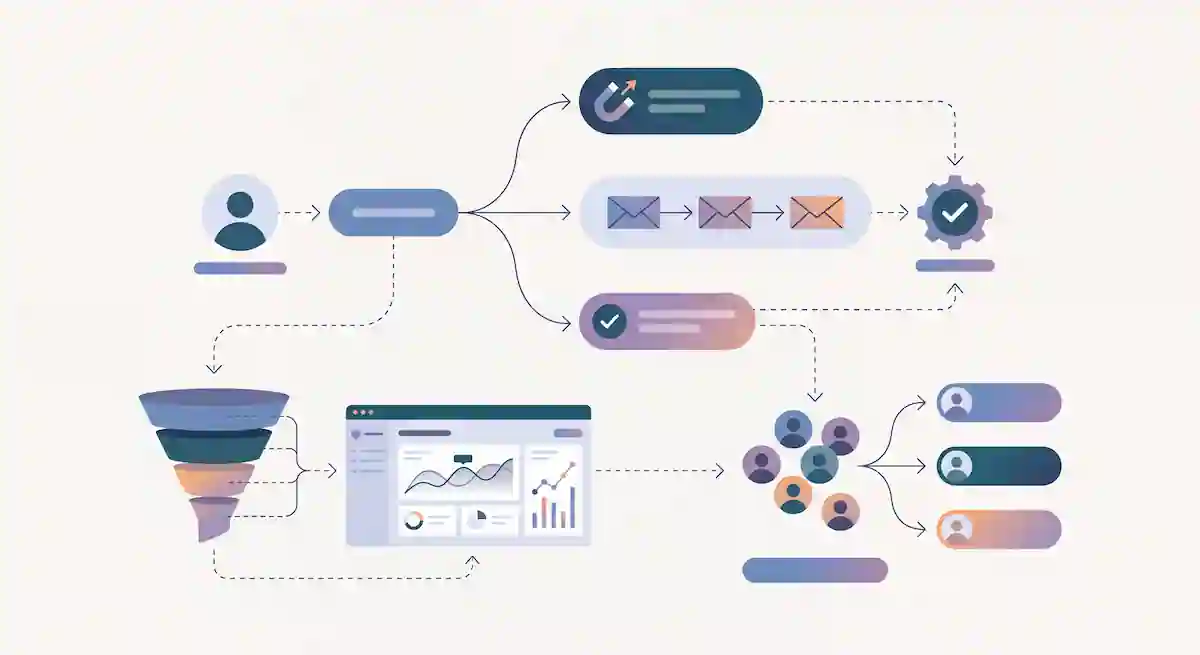
Email automation is what lets an ecommerce store respond while the customer is still in the moment.
A shopper signs up. A welcome email sends. Someone views a product twice. A browse abandonment flow follows up. A customer adds an item to cart and leaves. A cart recovery sequence starts. A first-time buyer gets product education, then a review request, then a thoughtful next-purchase recommendation.
None of that should depend on someone remembering to send an email manually.
That’s where email automation comes into play. It connects customer behavior to timely messages, so the store can follow up with the right person at the right point in the buying journey.
Email automation
Ecommerce email automation is a system that sends emails when a subscriber or customer meets a specific condition.
The condition might be an action, such as joining the list, adding to cart, starting checkout, buying a product, clicking a category, or becoming inactive. It might also be a date or timing rule, such as a replenishment window, birthday, loyalty milestone, or subscription renewal.
The basic loop is simple:
- The customer does something.
- Your email platform records that behavior.
- A trigger starts the right automation.
- The customer receives one or more emails.
- The workflow changes based on what the customer does next.
The last point is what separates good automations from bad ones. Good automation is not just a timed drip campaign. It’s supposed to react. If someone buys, they should leave the cart flow. If someone clicks a product but does not buy, they may move into a stronger follow-up path. If someone never opens or clicks, they may need fewer emails, a different message, or eventually a sunset path.
Automation vs. campaigns
Campaigns and automations both belong in ecommerce email marketing, but they do different jobs.
A campaign is a one-time or scheduled send. You decide the audience and send time. Examples include a holiday sale, new product launch, newsletter, buying guide, VIP preview, or seasonal promotion.
An automation is triggered by behavior or data. The customer decides the timing by doing something. Examples include a welcome flow, abandoned cart flow, browse abandonment flow, post-purchase sequence, replenishment reminder, review request, winback flow, or back-in-stock email.
| Email type | What starts it | Best for | Example |
|---|---|---|---|
| Campaign | The brand chooses a send time | Promotions, launches, newsletters, content | A Friday sale email to active subscribers |
| Automation | Customer behavior or customer data | High-intent moments and lifecycle follow-up | A cart email one hour after checkout abandonment |
The mistake is treating one as better than the other. Campaigns give you reach and calendar control. Automations give you timing and relevance. You should be using both in order to get the best results.
That said, the revenue math skews heavily toward automation. Klaviyo’s analysis of more than 183,000 ecommerce brands found that while campaigns account for the large majority of send volume, flows generate close to 41% of total email revenue from only about 5% of sends, with revenue per recipient running roughly 18 times higher than campaigns. That gap is exactly why this section treats automation as its own system worth building deliberately, not an afterthought bolted onto a campaign calendar.
Why automation matters for ecommerce
Ecommerce buying journeys are full of small moments where timing matters.
A customer who just subscribed is more interested than they will be three weeks from now. A shopper who abandoned checkout may still be comparing shipping, price, sizing, delivery time, or trust signals. A first-time buyer may need reassurance that they made the right decision. A customer who used up a consumable product may be ready to reorder before they think to search again.
Automation lets you respond to those moments without manually watching every customer.
That creates three advantages.
-
Automation is timely. The email arrives close to the behavior that made it relevant.
-
Automation is more personal. The message can reference the product, category, order, or lifecycle stage that matters to that customer.
-
Automation is scalable. Once a flow is built, it can keep working for every new shopper who enters that situation.
Where automation fits in the ecommerce lifecycle
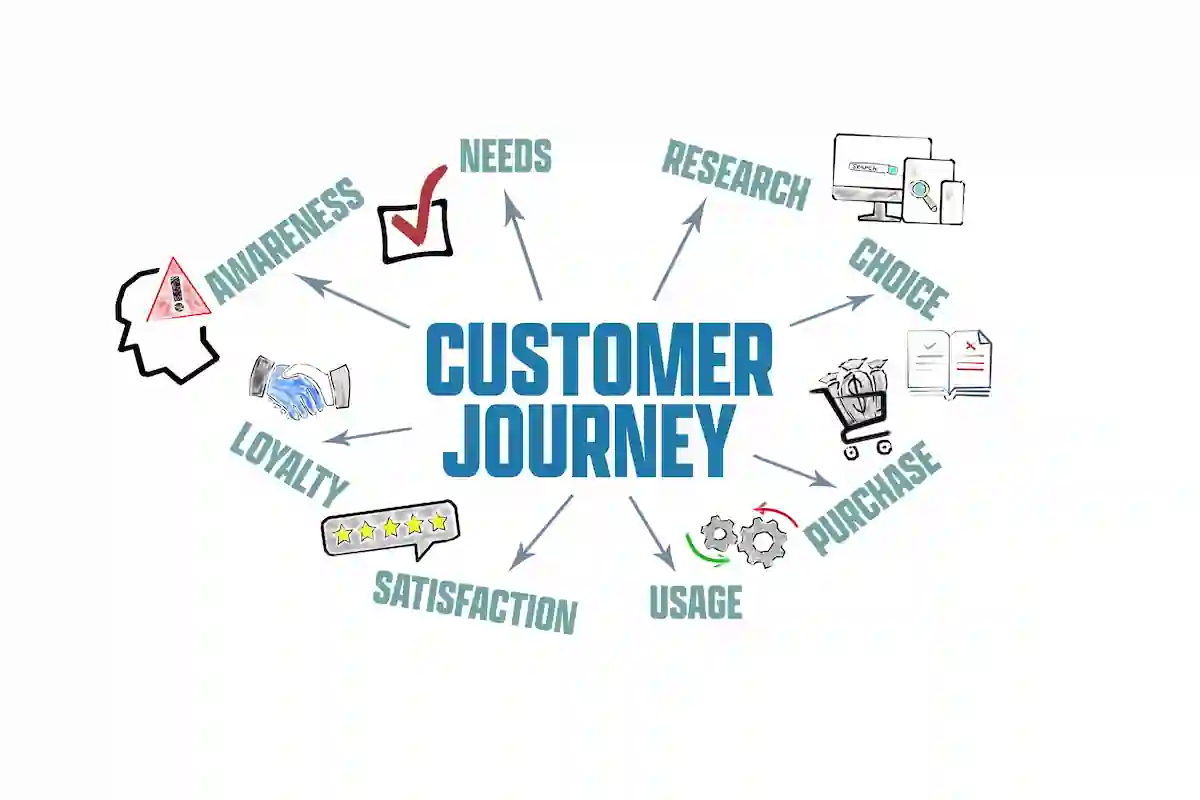
A useful way to plan automation is by customer stage.
| Lifecycle stage | Customer moment | Automation job |
|---|---|---|
| Welcome | Joined the list but has not bought | Build trust and guide the first purchase |
| Recover | Browsed, carted, or started checkout | Remove friction and bring the shopper back |
| Grow | Bought once | Educate, reassure, and earn the second order |
| Reward | Repeat or high-value customer | Recognize loyalty and recommend better next steps |
| Reignite | Inactive subscriber or lapsed customer | Give a reason to come back or cleanly disengage |
This keeps automation from becoming a random pile of flows. Every automated email should have a job tied to a customer moment.
The core automations most stores need
Most ecommerce brands should start with a small set of high-impact flows before building advanced branches.
-
A welcome flow introduces the brand, delivers any signup incentive, highlights best sellers, and gives the subscriber a clear first step.
-
An abandoned cart or checkout flow follows up with shoppers who showed strong purchase intent but did not finish. It’s worth building well: the Baymard Institute’s ongoing analysis puts the average online cart abandonment rate at roughly 70%, and cart recovery emails routinely post open rates in the 44-50% range, well above standard campaign benchmarks, because the shopper already knows exactly what’s in the email.
-
A browse abandonment flow helps product viewers who looked interested but did not add to cart.
-
A post-purchase flow reduces buyer anxiety, explains how to use the product, sets expectations, and prepares the customer for a second order.
-
A replenishment or cross-sell flow helps existing customers buy again when the timing or product fit makes sense.
-
A winback flow gives inactive customers a reason to return, update preferences, or leave the list quietly.
-
A back-in-stock flow catches demand that already exists and turns it into revenue when inventory returns.
You don’t need every possible automation on day one. You need the flows that match your store’s buying behavior.
What makes an automation useful
An automation is useful when it is specific enough to feel relevant and controlled enough to avoid annoying people.
That means every flow needs five decisions:
- The trigger
- The audience rules
- The timing
- The message
- The exit rules
For example, an abandoned cart flow might trigger when a known subscriber adds an item to cart but does not purchase. It might wait one hour, send a reminder, wait a day, send proof or objection-handling, then wait another day before sending a final nudge. If the customer purchases at any point, they leave the flow. Multi-email sequences like this typically recover somewhere in the 5-15% range of abandoned carts, with the first email sent within about an hour of abandonment performing best, since purchase intent fades quickly after that window.
Without exit rules, automation gets sloppy fast. Customers receive emails for products they already bought, discounts after paying full price, or reminders for actions they already completed.
Do not automate bad strategy
Automation does not fix weak positioning, poor offers, confusing product pages, or a bad customer experience. It amplifies what is already there.
If the welcome flow is just four coupon reminders, you train new subscribers to wait for discounts. If the cart flow ignores the real reasons people hesitate, it becomes a nag. If the post-purchase flow only pushes another sale, it misses the chance to reduce regret and build trust.
Start with the customer question behind the trigger:
- Why should I trust this brand?
- Is this right for me?
- What is stopping me from finishing?
- Did I make a good decision?
- What should I buy next?
- Why should I care now?
The best automation answers the question that already exists in the customer’s head.
How to start simple
If you are building ecommerce automation from scratch, I’d suggest you start with three flows.
-
Build the welcome flow first. It handles every new subscriber and shapes the first relationship with the brand.
-
Build the abandoned cart or checkout flow second. It targets the highest-intent shoppers who left before buying.
-
Build the post-purchase flow third. Retention usually becomes the difference between a store that only acquires customers and a store that compounds revenue.
Once those are working, you can start thinking about the more complex ones that will drive the smaller value-add components to your store. Flows such as browse abandonment, replenishment, cross-sell, review request, loyalty, back-in-stock, and winback will help drive the more nuanced consumers journeys.
The bottom line
Ecommerce email automation is not about sending more email. It is about sending email when the customer’s behavior gives you a clear reason to speak.
Campaigns keep your list engaged at scale. Automations catch the moments that should not wait for the next campaign calendar slot.
When the trigger, message, timing, and exit rules all match the customer journey, automation becomes one of the most practical revenue systems an ecommerce brand can build.