
Blog
Email marketing notes.
Email Marketing
Brevo (Formerly Sendinblue) vs. Mailchimp
A practical Sendinblue vs Mailchimp comparison for ecommerce, covering pricing models, automation, integrations, reporting, and fit for your store.
By Peak Meadow Published August 30, 2026
Brevo (Formerly Sendinblue) vs. Mailchimp
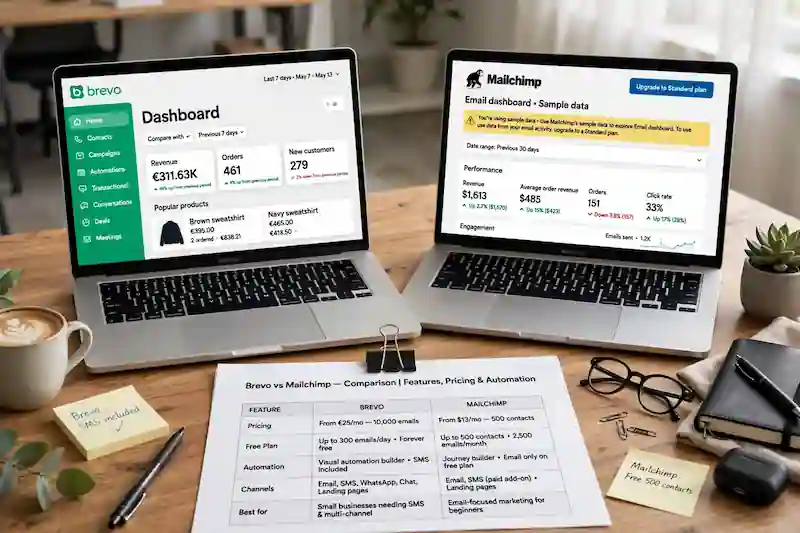
The Sendinblue vs Mailchimp comparison is now Brevo vs Mailchimp because Sendinblue rebranded as Brevo. The platforms solve the same basic problem in different ways. Brevo is often the better fit for stores that want marketing and transactional email, SMS, and straightforward automation in one ecosystem. Mailchimp is often the better fit for brands that value a familiar builder, a large integration ecosystem, polished templates, and guided campaign creation.
For ecommerce, the right choice depends less on which tool is “best” and more on how your store uses email. Brevo’s plan tiers account for monthly send volume and contact storage. Mailchimp’s tiers are driven mainly by contact count, plan level, and send limits. Compare both against the same list size, monthly volume, and required features rather than relying on a starting price.
This comparison will help you decide which platform fits your store, budget, and email strategy. For the wider field, start with our guide to the best email marketing software for ecommerce.
Brevo vs. Mailchimp
Brevo is the newer name for Sendinblue. The company rebranded from Sendinblue to Brevo, but many people still search for the old name. So when people compare Sendinblue vs Mailchimp, they are really comparing Brevo vs Mailchimp.
| Category | Brevo | Mailchimp |
|---|---|---|
| Best fit | Cost-conscious brands, high contact counts, transactional email, SMS, simple automation | Small businesses, polished newsletters, templates, broad integrations, simple campaign workflows |
| Pricing model | Monthly email volume, contact-storage tier, and plan features | Contact count, plan level, and send limits |
| Free plan | 300 emails per day, with Brevo branding and other limits | Up to 250 contacts and 500 monthly sends, with a 250-send daily cap |
| Ecommerce features | Shopify, WooCommerce, PrestaShop, abandoned cart workflows, ecommerce API, transactional email | Shopify, WooCommerce, ecommerce API, abandoned cart emails, product recommendations, customer journeys |
| Automation | Good for core lifecycle workflows | Stronger visual journey builder on higher plans |
| Templates and editor | Clean and practical | More polished and beginner-friendly |
| Reporting | Solid campaign and ecommerce reporting | Stronger out-of-the-box campaign and ecommerce reporting |
| Main drawback | Interface can feel less polished | Costs can rise as your list grows |
If you only need a quick answer: quote both tools using your real database and send volume. Then choose Brevo if its multichannel and transactional setup fits better, or Mailchimp if its editing and campaign workflow suit your team.
Pricing
Pricing is one of the biggest differences between the two platforms.
Brevo’s current pricing uses email volume and contact-storage tiers. Its official pricing help lists a free plan with 300 daily sends; on paid plans, the email volume selected also determines the maximum contacts stored at that tier. That is a material change from older comparisons that described Brevo as broadly offering unlimited contact storage.
Mailchimp’s pricing is more contact-driven. Its official plan guide lists a free tier with up to 250 contacts, 500 monthly sends, and a 250-send daily cap. Paid plans begin at different contact allowances, and monthly send limits are calculated as a multiple of the selected contact tier. Live prices can vary with billing term, promotions, currency, and contact count, so use the calculator rather than hard-coding a monthly figure into your decision.
That doesn’t mean Mailchimp is overpriced for everyone. If your list is small and you value its builder, templates, and reporting, the cost can make sense. Brevo may still price more favorably in a particular scenario, but its newer contact caps mean you need a like-for-like quote to know.
Pricing Winner: It Depends
Brevo can win on price for some ecommerce brands, while Mailchimp can be reasonable for smaller lists. There is no durable pricing winner without matching contact storage, send volume, seats, automation features, and add-ons.
Ease of Use
Mailchimp has been a familiar email marketing tool for a long time, and that shows in the guided campaign workflow. The editor is approachable, templates are easy to work from, and basic campaigns are relatively quick to build.
For a small ecommerce brand, that can be valuable. You may not have a dedicated email marketer. You may just need to send a product launch, holiday sale, back-in-stock campaign, or monthly newsletter without fighting the tool.
Brevo is also usable, although we find its interface more functional than polished. The email editor and automation tools cover standard campaigns well. Mailchimp will often feel easier to a beginner who wants to build a polished email quickly, but test both editors with the person who will actually use them.
Winner: Mailchimp
Mailchimp wins for beginner-friendly campaign creation. Brevo is clear enough, but Mailchimp usually feels smoother for non-technical users.
Ecommerce Features
Both platforms can support ecommerce email marketing, but they approach it differently.
Brevo supports ecommerce through plugins, integrations, automation, and API features. Its tracker documentation explains how cart, order, and cart-deletion events can support abandoned-cart workflows; plugin behavior and available data still depend on the store setup.
Mailchimp also has solid ecommerce support. Its ecommerce developer documentation says connected store data can power order notifications, abandoned cart automations, follow-ups, and product recommendations. Mailchimp for Shopify syncs customer and order data and supports targeted ecommerce messaging and performance tracking.
For most small stores, both tools can handle the basics: welcome emails, newsletter campaigns, abandoned cart emails, product launches, post-purchase follow-ups, basic customer segments, product recommendations, and revenue tracking.
For this comparison, Mailchimp has the edge in ecommerce polish. Brevo has the edge when transactional email and multichannel messaging need to live in the same ecosystem. Cost depends on the account configuration.
Winner: Tie
Mailchimp is stronger for polished ecommerce workflows. Brevo is stronger when ecommerce email, transactional sending, and SMS need to live closer together and the quoted Brevo tier costs less for your database and send volume.
Automation
Automation is where ecommerce brands should look closely.
At minimum, your email platform should help you build a welcome series, an abandoned cart sequence, a post-purchase sequence, a win-back sequence, and basic segments based on purchases and engagement.
Brevo can handle common workflows. Its email marketing feature page lists ready-made workflows for welcome emails, birthday emails, and abandoned cart emails. Its automation documentation also explains delays, exit conditions, and re-entry settings. The current plan guide caps Free and Starter at 2,000 contacts in active automations; Standard and higher plans remove that automation-contact limit.
Mailchimp’s marketing automation flows are more polished visually, especially on paid plans. Mailchimp can use ecommerce data for abandoned carts, product retargeting, first-purchase follow-ups, category follow-ups, and product recommendations when the store setup supports it.
The tradeoff is plan fit. Mailchimp’s more useful automation features sit on paid plans, and the bill grows with contacts. Brevo may be less elegant, but its Standard and higher tiers can be a better fit when you want lifecycle automation alongside transactional sending. Check current feature and contact limits before deciding.
Automation Winner: It Depends
Mailchimp wins if you care most about visual journey building. Brevo wins when its practical automation covers your needs and the quoted tier fits your contact count and send volume better.
Segmentation and Personalization
Segmentation is where email starts to feel personal instead of generic. For ecommerce, useful segments include first-time buyers, repeat customers, VIP customers, cart abandoners, inactive subscribers, and people who clicked but didn’t buy.
Brevo includes filters based on contact details, engagement, and ecommerce activity when tracking is set up correctly. Mailchimp supports ecommerce segments, tags, groups, product recommendations, and customer journeys. It has a more mature audience-management feel, but it can also become messy if you don’t keep lists, audiences, tags, and archived contacts organized.
Mailchimp has a slight edge for segmentation and personalization. Brevo is still strong enough for many basic and mid-level ecommerce programs.
Deliverability
Both platforms have the infrastructure needed to send marketing emails. Both also help with list management, authentication, unsubscribes, and compliance. But no platform can save poor sending habits.
Your deliverability will depend on email authentication, list quality, consent practices, bounce management, spam complaints, sending frequency, and whether your emails match what people signed up for.
Neither platform guarantees inbox placement. Authentication, consent, list quality, complaint rates, sending patterns, and message relevance matter more than the logo on the sending dashboard.
Reporting and Revenue Tracking
Good ecommerce email reporting should answer simple questions like how much revenue email generated, which campaigns drove orders, which flows recovered revenue, and which segments are most valuable.
Mailchimp has campaign reporting, ecommerce conversion reporting, and audience insights when the store integration is set up well. Its ecommerce tools can report on products sold and recovered checkouts rather than stopping at opens and clicks.
Brevo also supports ecommerce analytics when its ecommerce app and tracking are configured. Brevo’s developer documentation says the ecommerce app can help analyze customer conversions, monitor product revenue, and run retention analysis.
The real issue is data quality. If your Shopify, WooCommerce, or custom store integration is incomplete, reporting will not be reliable. Before picking either platform, check whether your exact integration sends the data you need: orders, products, carts, customers, consent status, refunds, and revenue.
Winner: Mailchimp
Mailchimp has the edge for out-of-the-box marketing reports. Brevo can still work well, but you may need to pay closer attention to setup.
Which Platform Is Better for Ecommerce?
For ecommerce brands, Brevo is often better if you want campaigns, automation, transactional email, and SMS in one ecosystem. Mailchimp is often better if you want a polished email tool with strong templates, broad integrations, audience tools, and easy campaign creation.
Here is the simplest way to decide:
| Choose Brevo if… | Choose Mailchimp if… |
|---|---|
| The quoted tier fits your contact count and send volume | Your list is small and you want an easy builder |
| You want marketing and transactional email under one account | You care more about templates and campaign polish |
| You want send-volume-based plan options | You want strong out-of-the-box reporting |
| You also want SMS or WhatsApp options | You want a familiar tool with many integrations |
| You can tolerate a more practical interface | You want the smoother beginner experience |
For a new ecommerce store, Mailchimp may feel easier in the first month. Brevo may fit better as your messaging mix expands, but growth alone no longer guarantees a pricing advantage because Brevo’s tiers also cap contact storage.
Conclusion
In the Sendinblue vs Mailchimp comparison, Brevo is the better choice when transactional email, SMS, and marketing automation need to share an ecosystem and the quoted tier fits your database. Mailchimp is the better choice when the smoother email-building experience, templates, integrations, and campaign reporting matter more.
Do not choose by brand name or a promotional starting price. Build the same test in both products: connect the store, import a small consented segment, create one campaign and one abandoned-cart path, and check which ecommerce events, exclusions, reports, and plan limits are actually available. If neither option matches your needs, compare Mailchimp with Constant Contact for broader small-business marketing or ActiveCampaign for deeper automation.
The best platform is the one your team can use consistently without giving up the data and controls your store needs.