
Blog
Email marketing notes.
Email Marketing
Browse Abandonment Emails: The Flow Most Stores Skip
Learn how to build browse abandonment emails that bring interested shoppers back, with practical guidance on timing, segmentation, copy, and measurement.
By Peak Meadow Published August 30, 2026
Browse Abandonment Emails: The Flow Most Stores Skip
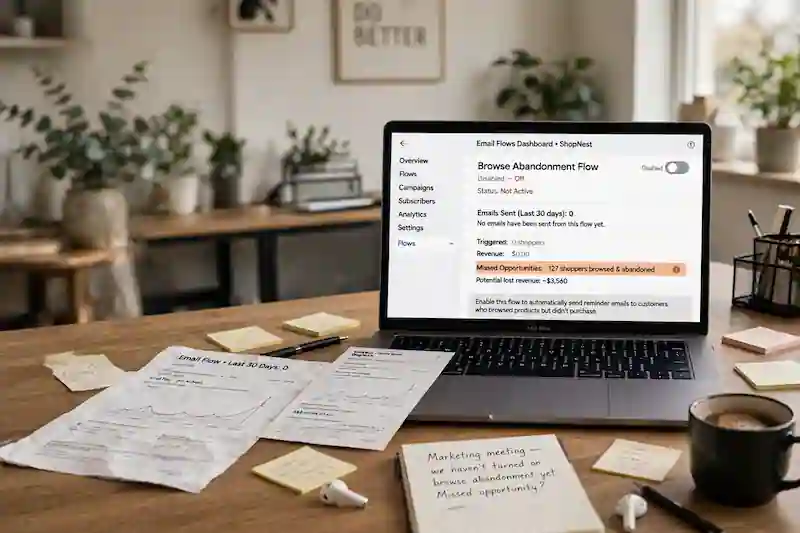
A browse-abandonment flow follows up when an identifiable shopper views a product and leaves without adding it to cart. It reaches an earlier stage than cart recovery, when someone may still be comparing options, reading reviews, or deciding whether the product fits.
The key is to treat browse abandonment as a soft nudge. These shoppers haven’t shown the same intent as cart abandoners, so the message should feel helpful and relevant.
What Is a Browse Abandonment Flow?
A browse abandonment flow is triggered by product page activity. The trigger is often called a “Viewed Product” event, although the name and tracking behavior vary by platform. When someone who can be identified by your email platform views a product and leaves without buying, this flow can send a reminder email.
That “known shopper” detail is important. Browse abandonment emails do not automatically go to every subscriber, customer, or anonymous visitor. The platform must connect activity from that browser to a profile—for example, after someone submits a signup form, clicks through a tracked email, logs in, or identifies themselves during checkout. The exact methods vary by platform and consent setup.
- A subscriber whose browser was identified after a form submission
- A recipient who clicked a tracked email link and then browsed
- A logged-in shopper whose store activity syncs to the email platform
- A checkout visitor identified under the store’s tracking and consent settings
That makes the flow smaller than your total site traffic, but much more useful than a generic campaign. The email can reference the exact product the person viewed, recommend similar items, and answer the question they may have been trying to solve.
Browse Abandonment vs. Abandoned Cart
Browse abandonment and abandoned cart emails are related, but they shouldn’t be written the same way.
Here are the main differences:
| Flow type | Trigger | Shopper intent | Best message style |
|---|---|---|---|
| Browse abandonment | Viewed a product | Moderate interest | Helpful reminder, product education, related items |
| Abandoned cart | Added to cart or started checkout | High intent | Direct reminder, objection handling, return-to-cart CTA |
Cart abandonment gets more attention because the buying signal is stronger. Browse abandonment covers the step before the cart, where many shoppers decide whether a product is worth considering at all.
Klaviyo’s 2026 benchmarks show why automated flows deserve attention. Across more than 183,000 Klaviyo customers, email flows accounted for 5.3% of sends but generated nearly 41% of email revenue. The same report says flows had more than three times the click rate and 13 times the placed order rate of campaigns. Those are Klaviyo-platform aggregates, so use them as context rather than a forecast for your store.
The takeaway isn’t that browse abandonment replaces cart recovery. It’s that your cart flow can’t recover interest that never reached the cart.
When Should You Use Browse Abandonment Emails?
You should use a browse abandonment flow when your store has enough identifiable site traffic and product pages that need a second look. This is especially useful for stores where shoppers often compare products before buying.
Browse abandonment is a good fit for:
- Apparel, beauty, home goods, supplements, and accessories
- Products with several colors, sizes, scents, bundles, or variants
- Higher-priced items
- Catalogs where product discovery is a large part of the buying journey
- Stores with strong repeat purchase behavior
If your store gets very little email-driven traffic, has poor product tracking, or sells a tiny catalog where a welcome flow already covers most first-purchase education, you might not see a big benefit from adding this flow.
Before building the flow, make sure your site tracking works. Klaviyo’s browse abandonment guidance says the flow depends on the Viewed Product metric and identifiable browsers. Its guidance also notes that Shopify privacy settings can prevent tracking in certain regions without consent. If the event is not firing—or should not fire because consent is absent—the automation has nothing reliable or appropriate to trigger from.
The Best Browse Abandonment Flow Structure
A browse abandonment flow can work well with just two or three emails. You don’t need a long, complex sequence. In fact, that might work against you. A long flow can feel odd because the shopper only viewed a product.
Use this structure as a starting point:
| Timing | Purpose | CTA | |
|---|---|---|---|
| Email 1 | 1 to 4 hours later | Remind them what they viewed | View product |
| Email 2 | 24 hours later | Add trust, benefits, or reviews | Take another look |
| Email 3 | 48 to 72 hours later | Show alternatives or a light incentive | Shop similar products |
The first email should be simple. Show the product image, product name, price if appropriate, and a clear button back to the product page.
The second email can add more context. This is where you can include customer reviews, product benefits, shipping details, return information, sizing help, ingredient details, or comparison points.
The third email should avoid sounding like a final warning unless you have a real reason. For browse abandonment, alternatives often work better than pressure. If the shopper didn’t add the item to cart, the product might not have satisfied their needs.
How to Set Up the Flow
Most ecommerce email platforms offer a browse abandonment template, but the logic matters. A poor setup can send too often, overlap with cart emails, or email people after they’ve already bought.
Use this flow-creation checklist:
- Trigger the flow when someone views a product.
- Add a delay before the first email.
- Exclude anyone who placed an order since entering the flow.
- Exclude anyone who started checkout or added to cart since entering the flow.
- Limit how often someone can enter the flow.
- Keep smart sending or frequency controls turned on.
- Test that the product image, name, price, and URL populate correctly.
The filters are what keep the experience clean. If someone views a product, adds it to cart, and then abandons checkout, they should move into the cart recovery flow. A customer shouldn’t receive a browse reminder and a cart reminder for the same shopping session.
A reasonable test is to prevent someone from entering the browse abandonment flow again for 14 to 30 days. Shorten or extend that window based on purchase frequency, consideration time, and your own unsubscribe and conversion data.
What Should the Emails Say?
Browse abandonment emails should sound like a helpful follow-up. The shopper didn’t ask for a hard sell. They showed interest and left.
Some good angles to use:
- “Still considering this?”
- “Here’s another look at the product you viewed.”
- “A few details that may help you decide.”
- “Not the right fit? Here are similar options.”
Avoid acting like the product is already in their cart when it isn’t. That can feel inaccurate. Also avoid opening with a discount every time. That can train shoppers to browse and wait for the coupon to arrive, lowering your margin on sales that may have happened anyway.
Here are three quick formats to customize for your brand.
Email 1: Product Reminder
Keep it short. Show the product and make the return path easy.
Include:
- Product image
- Product name
- Short benefit statement
- Button back to the product page
- Optional product rating or review count
Subject line ideas:
- “Still looking at this?”
- “A quick link back”
- “Worth another look?”
Email 2: Product Confidence
Use this email to answer the reason someone may have paused.
Include:
- Reviews or social proof
- Shipping and return details
- Size, fit, usage, or ingredient guidance
- A short explanation of what makes the product different
Subject line ideas:
- “A few details before you decide”
- “What customers like about it”
- “Need help choosing?”
Email 3: Alternatives or Incentive
If the shopper still hasn’t acted, broaden the options. This email can show related products, best sellers in the same category, or a small incentive if it’s relevant and your margins can handle it.
Include:
- Similar products
- Category best sellers
- A buying guide or quiz link
- A free shipping reminder or limited offer. Use this sparingly.
Subject line ideas:
- “A few similar picks”
- “Not the one? Try these”
- “Still deciding?”
Segments That Make the Flow Better
A basic browse abandonment flow is useful. A segmented one is stronger.
Start with these useful splits:
| Segment | Why it matters | Message adjustment |
|---|---|---|
| New subscriber | May not trust the brand yet | Add proof, brand promise, first-purchase help |
| Returning customer | Already knows the brand | Focus on product fit and related items |
| Viewed product multiple times | Higher interest | Use stronger product detail or incentive testing |
| High-value product viewer | More buying friction | Add education, reviews, guarantees, or support CTA |
| Category viewer | Product interest is clear | Recommend best sellers in that category |
You don’t need every split on day one. Start simple, then segment when you have enough flow volume to make the added complexity worth it.
Metrics to Track
The most important browse abandonment metrics are revenue per recipient, placed order rate, click rate, unsubscribe rate, and spam complaint rate.
Look at these metrics together. Open rate is noisy and should not be interpreted without clicks, orders, unsubscribes, and privacy-related inflation. A high attributed-revenue number can still be a problem if the flow creates too many unsubscribes.
Here’s what you should track:
- Revenue per recipient: How much revenue the flow earns per person emailed
- Placed order rate: How often recipients buy after receiving the flow
- Click rate: Whether the product and CTA are getting attention
- Unsubscribe rate: Whether the timing or message feels too aggressive
- Flow overlap: Whether people are also getting cart, welcome, or campaign emails too close together
Klaviyo has reported a 0.96% average conversion rate for browse abandonment emails in one platform analysis, compared with 0.10% for its average campaign. Treat that older vendor benchmark as directional; your result will depend on tracking quality, timing, offer strategy, audience, and product-market fit.
Common Mistakes to Avoid
The biggest mistake is copying your abandoned cart email and using it for browse abandonment. The intent level is different, meaning the message needs to be different.
Other common mistakes include:
- Sending immediately after one product view
- Sending too many emails after light browsing
- Offering a discount in the first email
- Forgetting to exclude people who added to cart or bought
- Showing broken dynamic product blocks
- Ignoring returning customers and first-time subscribers
- Measuring opens instead of purchase behavior
The best browse abandonment flow feels quiet, relevant, and useful. It reminds the shopper what caught their attention and gives them a reason to keep considering it.
Conclusion
Build the smallest useful version first: trigger on a valid product view, delay the first email, exclude cart and purchase activity, show the viewed product, and use a lighter message than your abandoned cart flow. Then place a test order and browse session yourself to confirm the event, dynamic content, links, and exclusions all work before going live.
After the flow has enough volume, improve one variable at a time—timing, repeat-view criteria, message angle, or recommendations—and judge it by placed orders, revenue per recipient, complaints, and unsubscribes rather than opens alone.