
Blog
Email marketing notes.
Email Marketing
Why Your Abandoned Cart Emails Aren't Converting Anymore
Learn why abandoned cart emails stop converting and how to fix timing, offers, segmentation, deliverability, creative, and checkout friction.
By Peak Meadow Published August 30, 2026
Why Your Abandoned Cart Emails Aren’t Converting Anymore
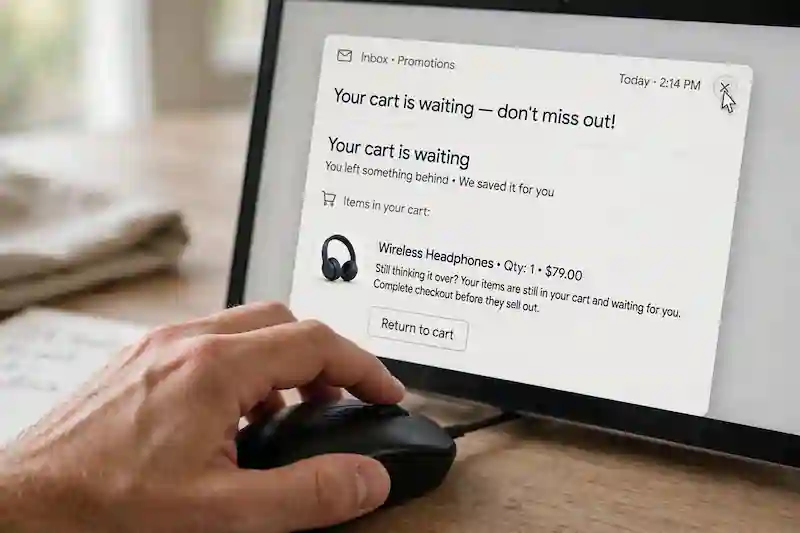
If your abandoned cart email performance is dropping, the problem most likely isn’t a bad subject line. More often than not, it’s a breakdown in timing, relevance, deliverability, discount strategy, or the checkout experience.
The first step is to diagnose where the drop starts. If opens are down, look at inbox placement and subject lines. When clicks are down, look at the message and offer. If clicks are steady but orders are down, the problem may be shipping, price, trust, payment options, or checkout friction.
Abandoned carts are worth diagnosing: Baymard currently calculates a 70.22% average from 50 published studies. Klaviyo’s 2024 abandoned-cart report, based on more than 143,000 flows sent in 2023, reported a 3.33% average placed order rate. These benchmarks provide context, not a promise for any individual store.
So if your flow used to convert and now feels flat, don’t scrap it. Rebuild the parts that no longer match how your customers buy.
Start With the Metrics
Revenue tells you something changed. It doesn’t tell you what changed.
Before rewriting the flow, separate the issue by metric:
| Metric trend | Likely issue | First place to look |
|---|---|---|
| Open rate is down | Fewer people are seeing or noticing the email | Deliverability, subject lines, sender name |
| Click rate is down | The email isn’t creating enough action | Copy, CTA, product block, offer |
| Conversion rate is down | Shoppers click but don’t buy | Checkout, shipping, price, trust |
| Revenue per recipient is down | Cart quality or flow targeting changed | Segments, AOV, product mix |
| Unsubscribes are up | The flow feels too pushy | Frequency, urgency, suppression rules |
Compare the last 30 days with the prior 30 days, then check both against the same period last year. That gives you a better baseline and reduces the risk of overreacting to seasonality.
Use that baseline to locate where performance first changed.
1. Your Timing Is Off
Cart intent fades quickly. When the first email arrives too late, the shopper may already be comparing another store’s product, waiting for payday, or may have decided against the purchase.
Here is a practical baseline for timing and content:
- Email 1: 1 to 3 hours after abandonment. Show the product, remind them what they left, and make the return to checkout easy.
- Email 2: 18 to 24 hours later. Answer the likely objection, such as shipping, returns, sizing, delivery speed, or reviews.
- Email 3: 36 to 72 hours later. Give a final reason to decide, such as urgency, support, or a small incentive if your margins allow it.
Adjust the example timing to fit the category of your products. Low-cost impulse products generally need faster reminders. Higher-priced products tend to need more education and a longer decision window.
Look at where orders happen in your current flow. If most recovered carts come from email one, improve that email before adding more steps. If people click but aren’t converting, later emails may need to focus more on trust signals rather than simply repeating the reminder.
2. Every Email Says the Same Thing
Many abandoned cart flows repeat one idea multiple times: “You left something behind.” That message works once. After that, the impact fades.
Each email should have a different job:
| Job | Example angle | |
|---|---|---|
| Email 1 | Bring the shopper back | “Your cart is saved.” |
| Email 2 | Remove doubt | Reviews, returns, sizing, shipping details |
| Email 3 | Help them decide | Final reminder, bonus, or limited incentive |
A new angle gives each follow-up a reason to exist and avoids sending the same reminder three times.
For the second email, answer real buying questions such as:
- How long does shipping take?
- What happens if the product doesn’t fit?
- What makes this product different?
- Are there reviews from other customers?
- Can they pay with their preferred method?
Better cart recovery usually comes from removing friction. This isn’t the time to add pressure.
3. Discounts Are Doing Too Much Work
Discounts can recover carts, but they can also train customers to wait.
When customers learn that abandoning a cart leads to a coupon, some will use your flow as part of their buying process. That can make attributed flow revenue look strong while quietly giving away margin on orders that may have happened without the coupon.
Before increasing the discount, try a few alternatives:
- A free shipping threshold reminder
- Clear return policy language
- Reviews near the CTA
- Delivery timing
- Payment options like Shop Pay, PayPal, Klarna, or Afterpay
- A customer support prompt
If you use a discount, place it later in the flow. Let the first email recover shoppers who were already close to buying, then reserve the incentive for people who still need another reason.
This is how you should structure incentives:
| Incentive | |
|---|---|
| Email 1 | No discount |
| Email 2 | No discount or soft value-add |
| Email 3 | Small discount if margins allow |
This protects margin and keeps the flow from becoming a coupon machine. A later offer won’t eliminate unnecessary discounting, but it gives reminder-only emails a chance to recover the cart first.
4. Your Segmentation Is Too Broad
Not every cart abandoner has the same problem.
First-time visitors may need stronger trust signals. Returning customers already know the brand and may care more about convenience. High-value carts may justify more product detail, support, or reassurance. Use these as hypotheses to test, not assumptions about every shopper.
Keep the first version simple. These splits are practical places to test:
- New vs. returning customers: New shoppers need trust. Returning shoppers need a fast path back.
- High cart value vs. low cart value: Bigger carts may justify more support or a stronger final incentive.
- Full-price buyers vs. discount users: Test incentives separately so habitual coupon users do not set the offer strategy for full-price buyers.
- Product category: Different categories need different reassurance.
- Engaged vs. unengaged subscribers: Less engaged contacts may not want as many reminders.
You don’t need a complex flow to improve your abandoned cart email performance. One or two useful splits can make the message feel more relevant.
5. The Email Is Fine. Checkout Is Not.
If clicks are steady and orders are falling, review the checkout before rewriting every email.
A cart email can bring shoppers back, but it cannot rescue a checkout that reveals unexpected costs. Make pricing and delivery terms clear before the final step.
Common checkout problems are:
- Shipping costs appearing too late
- Delivery dates being unclear
- Forced account creation
- Slow mobile checkout
- Limited payment options
- Discount codes failing
- Return policy details being hard to find
- Extra fees at the final step
When shipping is the objection, mention it near the email CTA. Make sure your return policy is clear and easy to find. If sizing is the concern, link to a guide or show fit details before checkout.
Make common buying questions easy to answer. Most shoppers will not stop to research policies or resolve checkout confusion on their own.
6. The Creative Has Gone Stale
Abandoned cart emails don’t need heavy design.
Review the flow on mobile. Ask:
- Can the shopper see the product right away?
- Is the button easy to tap?
- Does the email load quickly?
- Is there one clear CTA?
- Is the reason to buy easy to understand?
- Are images, prices, and links correct?
A strong cart email usually includes:
- A short headline
- An accurate product block
- One main checkout button
- A clear benefit or objection answer
Make returning to checkout effortless; unnecessary friction gives shoppers another reason to leave.
7. Deliverability Is Pulling Results Down
Deliverability problems are hard to pinpoint. They often look like a creative problem because every metric starts to drop.
If you see that, check:
- Spam complaint rate
- Bounce rate
- Unsubscribe rate
- Open rate by inbox provider
- Recent sending spikes
- SPF, DKIM, and DMARC records
- Whether unengaged contacts are still getting too many campaigns
Your campaigns affect your automations. Sending too often to people who don’t engage can raise negative signals and weaken your domain’s reputation. That can hurt the cart emails that should be reaching high-intent shoppers.
Deliverability is part of cart recovery performance, not a separate technical project. For mail to personal Gmail accounts, Google requires SPF or DKIM from all senders. Bulk senders must also use SPF, DKIM, and DMARC, and marketing or subscribed messages must support one-click unsubscribe.
8. You’re Testing the Wrong Things
Small tests only help when they target the real bottleneck.
This table can act as a quick guide to determining what’s wrong.
| Problem | Better test |
|---|---|
| Low opens | Subject line, preview text, sender name, deliverability cleanup |
| Low clicks | CTA placement, product block, shorter copy, stronger objection handling |
| Low conversions | Shipping message, returns, payment options, checkout fixes |
| Low revenue per recipient | Segmentation, incentive timing, high-value cart branch |
| High unsubscribes | Fewer emails, softer tone, less urgency, better suppression rules |
Run one meaningful test at a time. Changing several variables at once makes it hard to explain the result. If your store has lower volume, let the test collect enough carts and orders before making a decision.
A Simple Audit for Better Cart Recovery
Use this checklist when performance starts slipping:
- Compare 30-day, 90-day, and year-over-year results
- Split metrics into opens, clicks, conversions, revenue per recipient, and unsubscribes
- Check deliverability before changing creative
- Test the checkout on mobile
- Confirm product images, cart links, and discount codes work
- Give each email a different job
- Delay discounts until later in the flow
- Add trust signals near the CTA
- Segment new and returning customers
- Test the biggest bottleneck first
Omnisend’s 2025 ecommerce marketing report analyzed 24 billion emails sent through its platform in 2024. Automated emails drove 37% of email sales from 2% of email volume, while abandoned cart, welcome, and browse abandonment emails produced 87% of automated orders. Those vendor-platform figures explain why these flows deserve attention, but your audit should still follow your own funnel data.
Conclusion
When abandoned cart emails are not converting, find the first metric that changed before rebuilding the whole flow. Check deliverability and opens, then clicks, checkout completion, revenue per recipient, and unsubscribes in that order.
Fix the largest bottleneck, leave the rest of the flow stable, and compare the result with a meaningful prior period. That gives you a diagnosis you can trust instead of a collection of simultaneous changes you cannot explain.